This tool offers streamlined screen-recording versatility
RecMaster is a premium, feature-rich screen recording tool designed for users who want simple controls paired with advanced capabilities. It supports 4K and HD recording, picture-in-picture, scheduling tools, and built-in editing, allowing creators to polish videos with watermarks, subtitles, and customized visual themes. Its clean interface makes recording projects straightforward.
Top Recommended Alternative

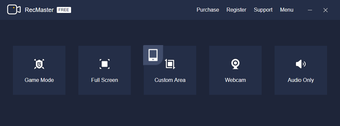
Recording modes, editing, and customization
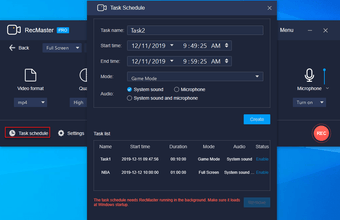
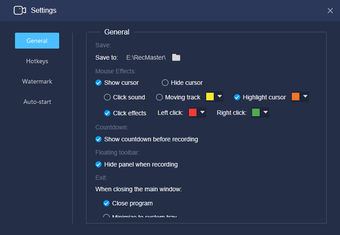
With options for background music, annotation tools, and adjustable microphone settings, RecMaster adapts easily to tutorials, demonstrations, and gameplay captures. Users can record multiple videos simultaneously and trim or delete unwanted segments through the integrated editor. The addition of a task scheduler ensures broadcasts or sessions are captured even when away from the computer.
That said, it focuses on practicality rather than professional-grade complexity, which may limit users needing highly advanced post-production options. While the interface is intuitive, some may prefer more specialized audio tools or multi-track editing. However, for most creators, it strikes an effective balance between simplicity, performance, and efficient workflow features.
For content creators and educators
RecMaster is an excellent solution for users creating instructional videos, livestream captures, or social media content. Its flexible modes, easy customization, and convenient scheduling tools help streamline production for beginners and experienced editors alike. Whether recording tutorials or presentations, it offers reliability, clarity, and creative adaptability in a lightweight package.